Skip to content

Marek Benda / BendaLabs

Apps, AI, custom hardware and robotics

I develop digital products and build physical prototypes. Explore the projects I am working on — from invoices to a robotic arm.

Start a project

Software and AI

BendaLabs.

Less manual paperwork. Clearer insights from data. Original products built for specific tasks.

More projects

Zmluvomat

Employment and business documents created from source records.

For personal use · in development

Extracts data from invoices and other records, processes it in batches and creates documents with electronic signatures. The project also includes an Opportunities section.

Rentulo

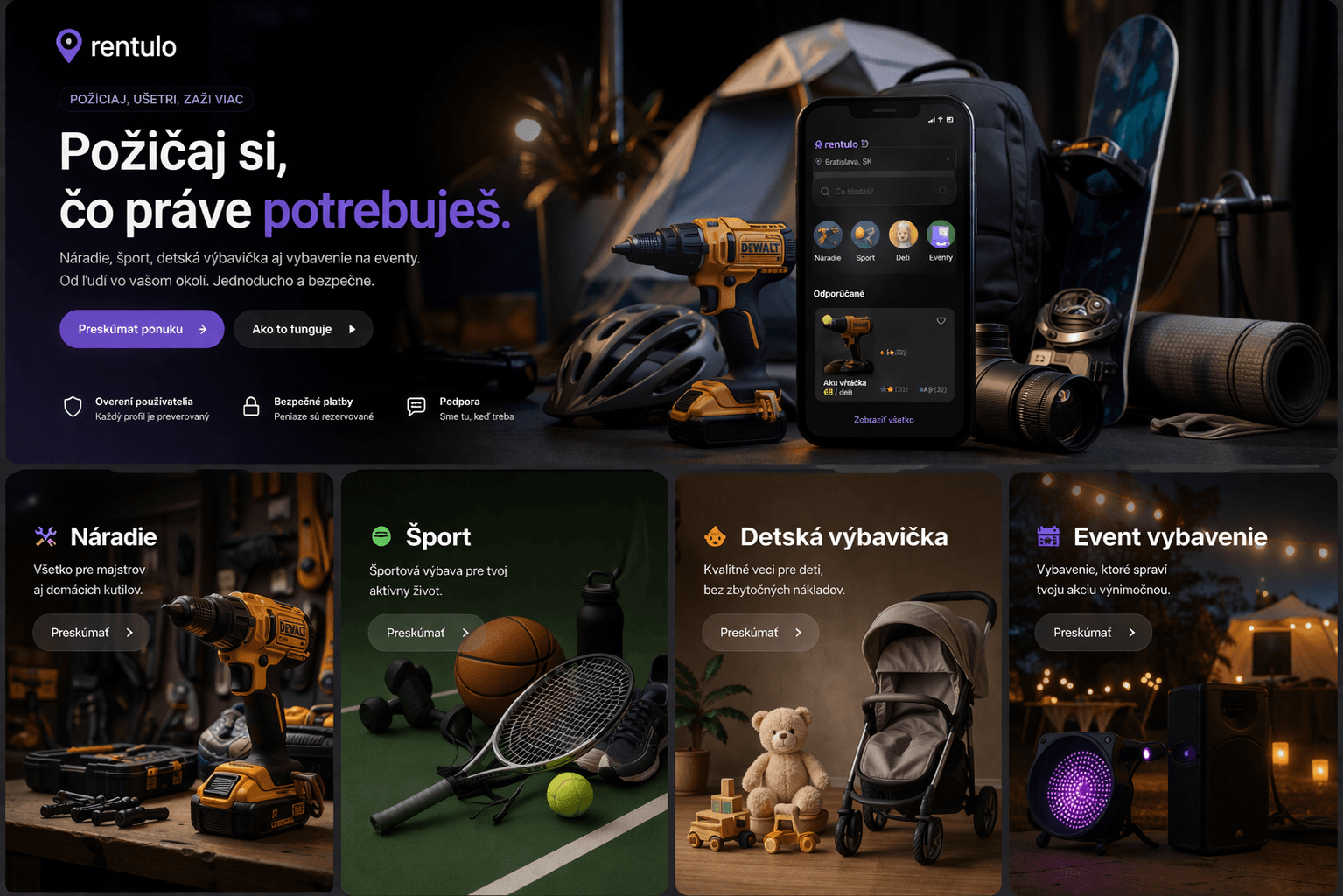
Peer-to-peer rentals of tools, equipment and everyday items.

Development paused

The marketplace reached an advanced stage: photo listings, map search, availability, bookings and handover management. The project also envisages photos documenting the condition of items before rental and after return.

The demo uses sample listings. Automated payouts and full identity verification remain unfinished.

Open the Rentulo demo
Rentulo product concept showing items available to rent
Product concept; also depicts planned features.

imLayer

Memory that helps AI work with past decisions.

Research prototype

Selects relevant information from a longer history and condenses it into a concise state for the next decision. It tracks freshness, contradictions and uncertainty so outdated information is not treated as current.

The prototype is being tested on customer support tasks and in the research part of TrendAtlas. Development compares the benefits and costs of memory in specific tasks.

Python · Pydantic · API

Robotics and hardware

BendaRobotics.

From custom circuit boards to movement and control. Projects that work beyond the screen.

Working prototype

Robotic arm

Six channels. Custom control.

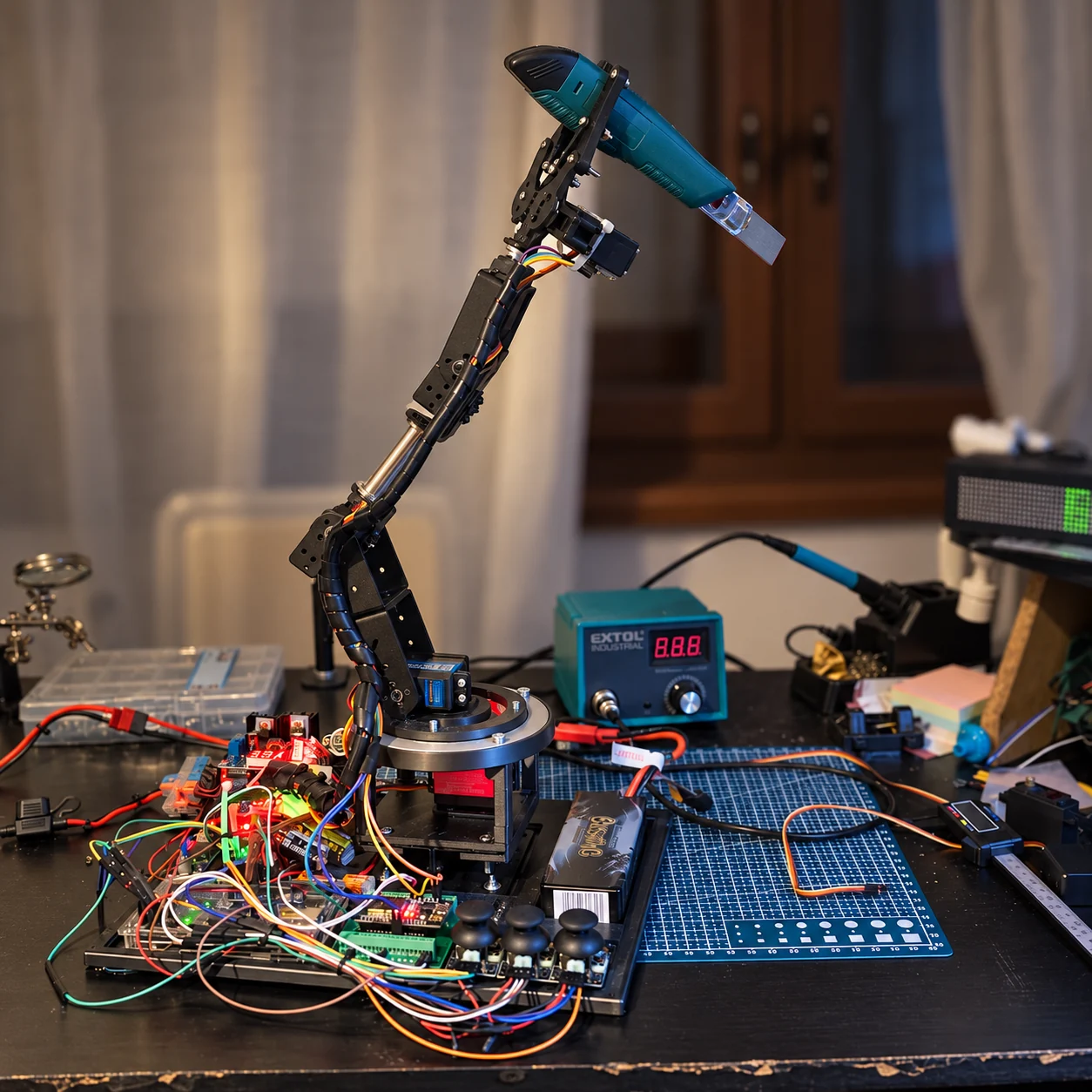
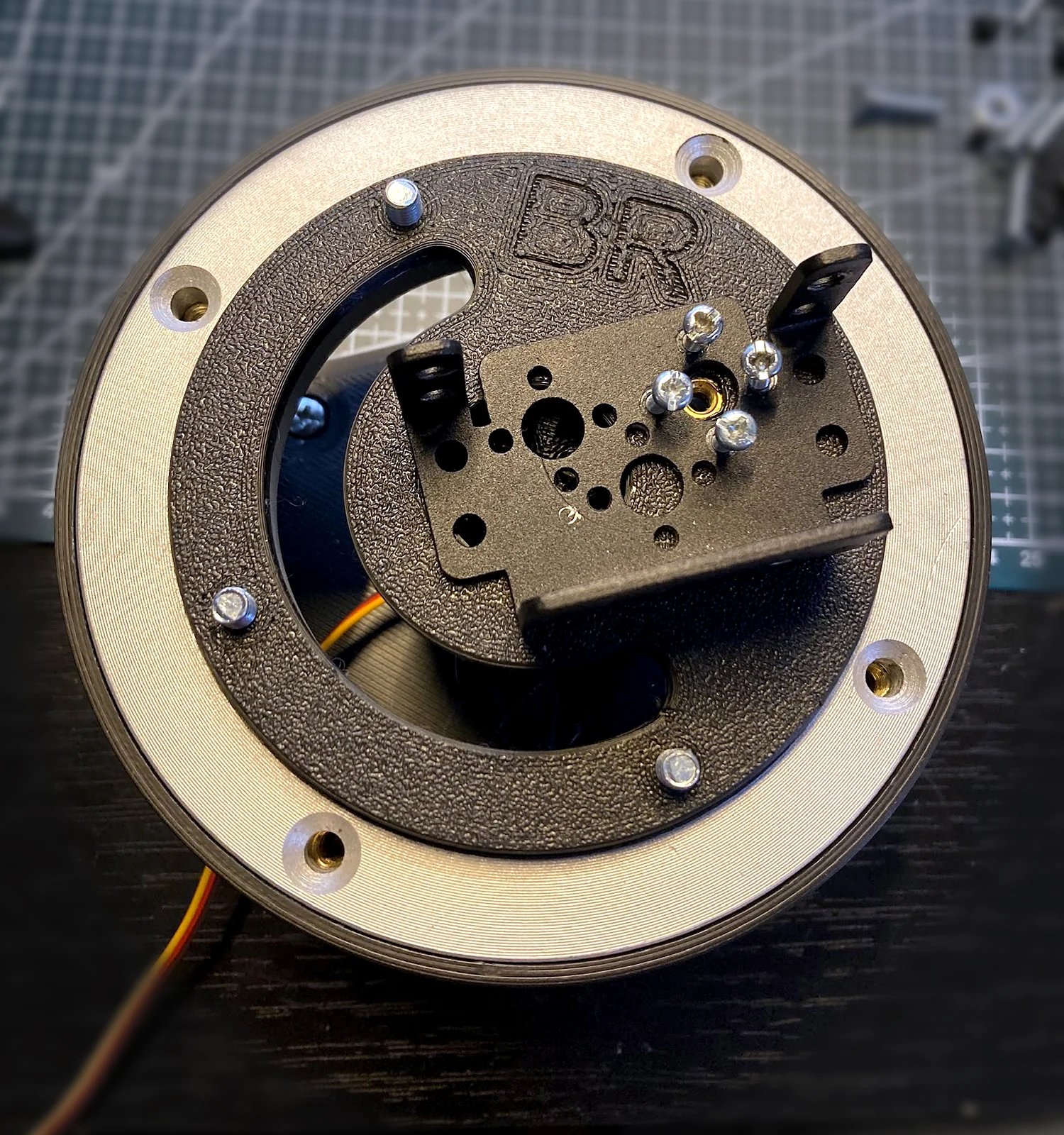
Development began with web controls and motion recording and playback. The newer assembly uses Hiwonder HTS-25L serial servos, three joysticks and a dedicated display. A printed base with a large bearing supports the arm; the bottom servo drives its rotation.

The arm with serial servos and a custom circular base.
Try the motion simulation
Try my robotic armBrowser simulation
Model of a robotic arm with six controlled axesA circular base, black brackets, a metal connecting cylinder and a two-finger gripper based on Benda Robotics photographs. Sliders control the base, shoulder, elbow, wrist tilt and rotation, and gripper opening.BENDA ROBOTICS6 DOF Model based on the physical structure

Pick up and move the cube

Try coordinating the axes
Six-axis controls

Free movement

Ready to control

Start recording, move the axes, then press Stop. Playback includes your timing and pauses. Recordings of up to 60 seconds are kept until you reload the page.

Arm development and physical controls

From PWM to serial servos

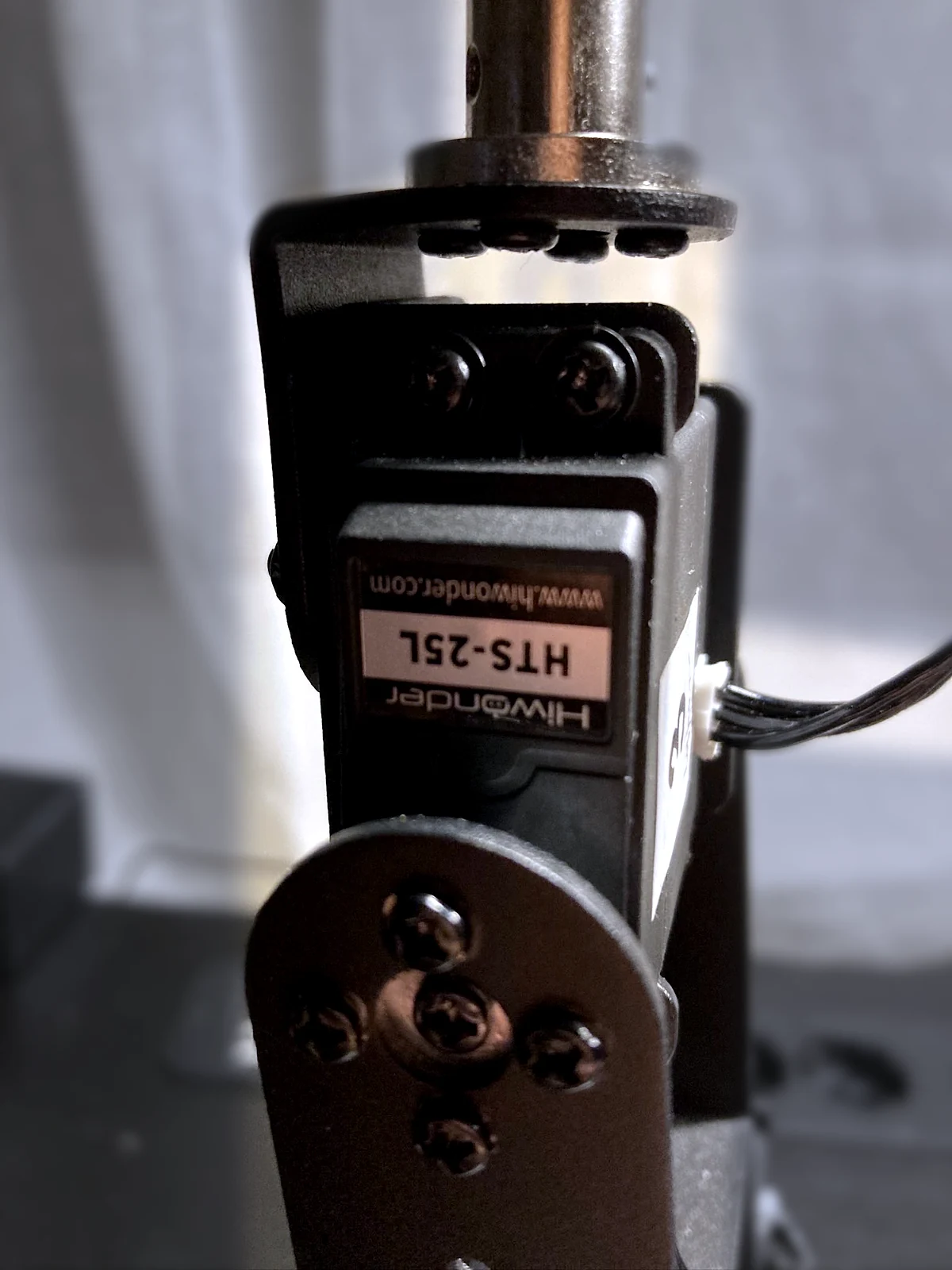
The original Arduino Mega and PCA9685 setup was gradually replaced with Hiwonder HTS-25L serial servos. Each has its own address and can report position, voltage and temperature. The newer local controller uses configured motion ranges and servo speeds.

What works and what comes next

The original assembly demonstrated web control of six channels, plus motion recording and playback. The newer serial-servo assembly adds local control with three joysticks and a display. A camera, LiDAR and autonomous AI planning are planned next steps.

The bearing carries the structure; the servo rotates it

A custom platform transfers the arm's load through a turntable bearing into a fixed base. The bottom servo therefore does not have to support the whole assembly. The modified upper part has room for two shoulder servos that can work together.

The bearing has an outer diameter of 120 mm, an inner diameter of 70 mm and a height of 8.5 mm. The HTS-25L servo body measures 40 × 20 × 40.5 mm. The arm's actual strength also depends on link lengths, power supply and servo coordination.

Web controls with a 2D model, sliders and motion recording.
The custom arm base during assembly.
A close-up of the serial servo in the arm structure.
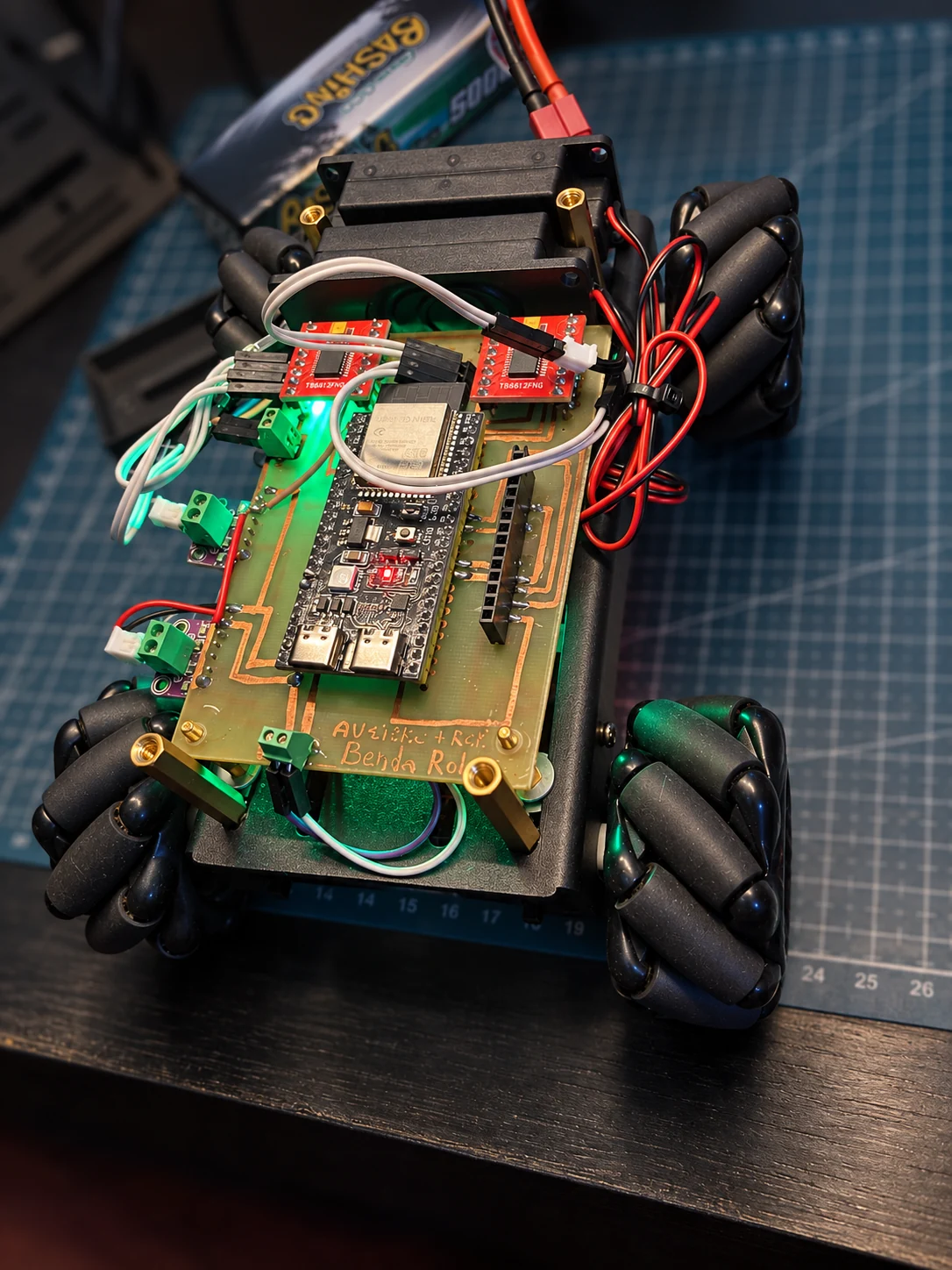
The first Mecanum robot with a handmade circuit board.
Working prototype

Mecanum robot

Four wheels allow forward and sideways movement and rotation on the spot. The robot receives commands over Wi-Fi, reads the operator's text aloud and sends back a person's response from its touchscreen.

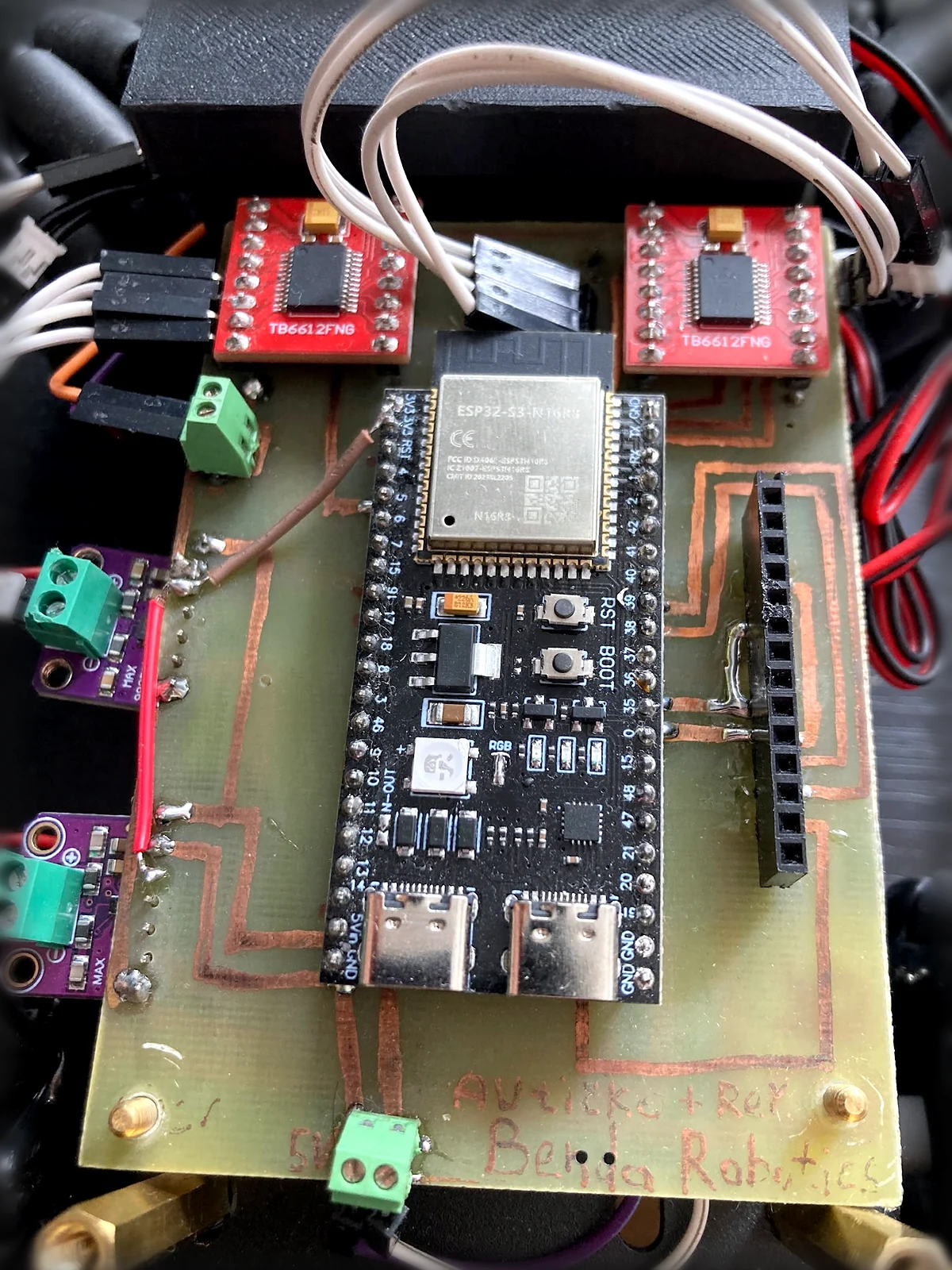
I made the first circuit board by hand. The new design is ready for etching.

Communication and custom electronics

The robot plays text entered by the operator. A local server generates Slovak speech using Piper TTS and sends it to the robot over Wi-Fi. A person beside the robot can answer a question on its touchscreen; the response returns to the control panel.

Motor control, speech and touchscreen communication work. The first version used a handmade circuit board. The new board design is complete and ready for etching. Live camera streaming is the next development step.

First version: handmade

The first prototype: an assembled, handmade circuit board.
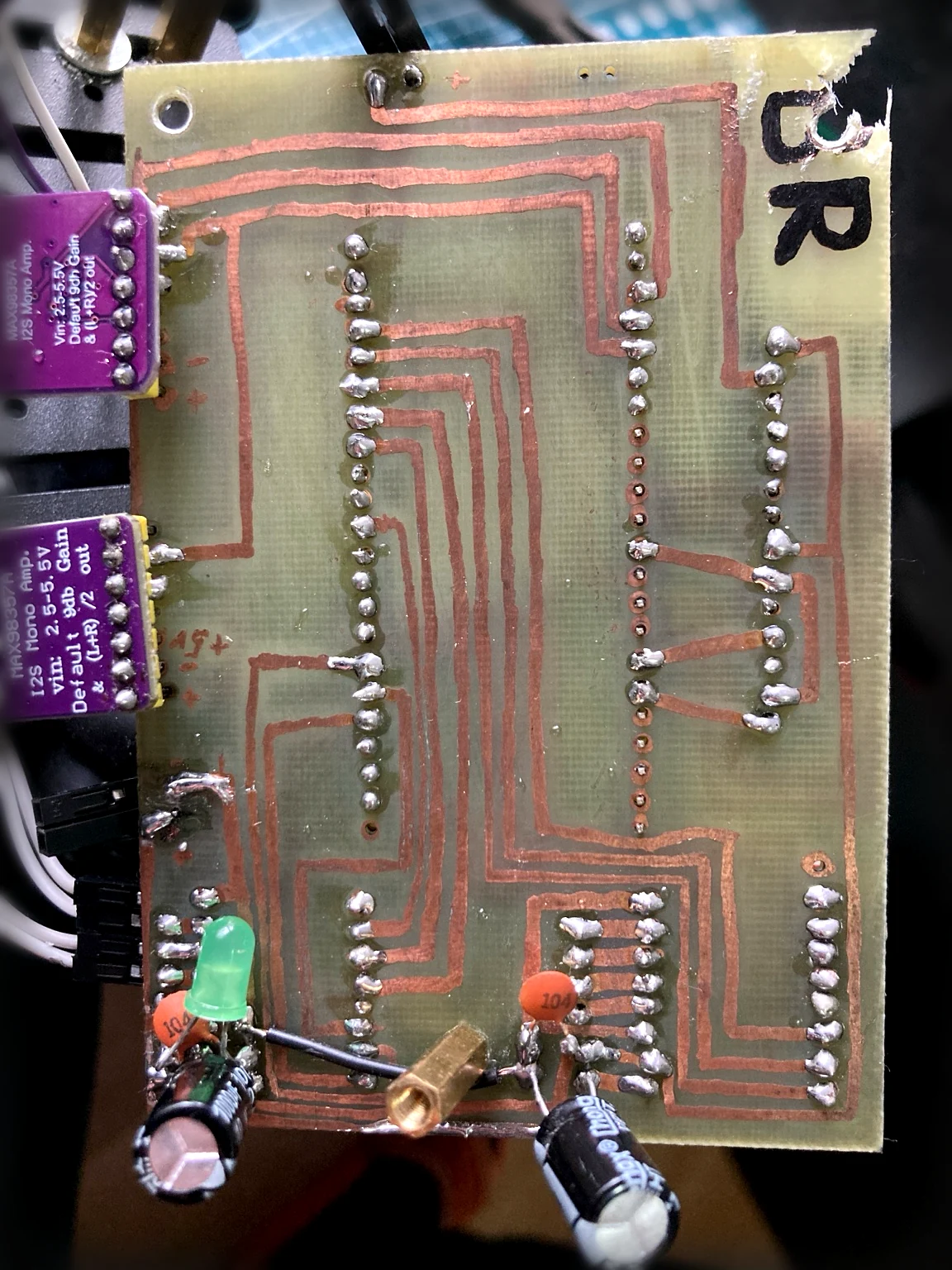
Copper traces and solder joints on the first version.
New board · ready for etching

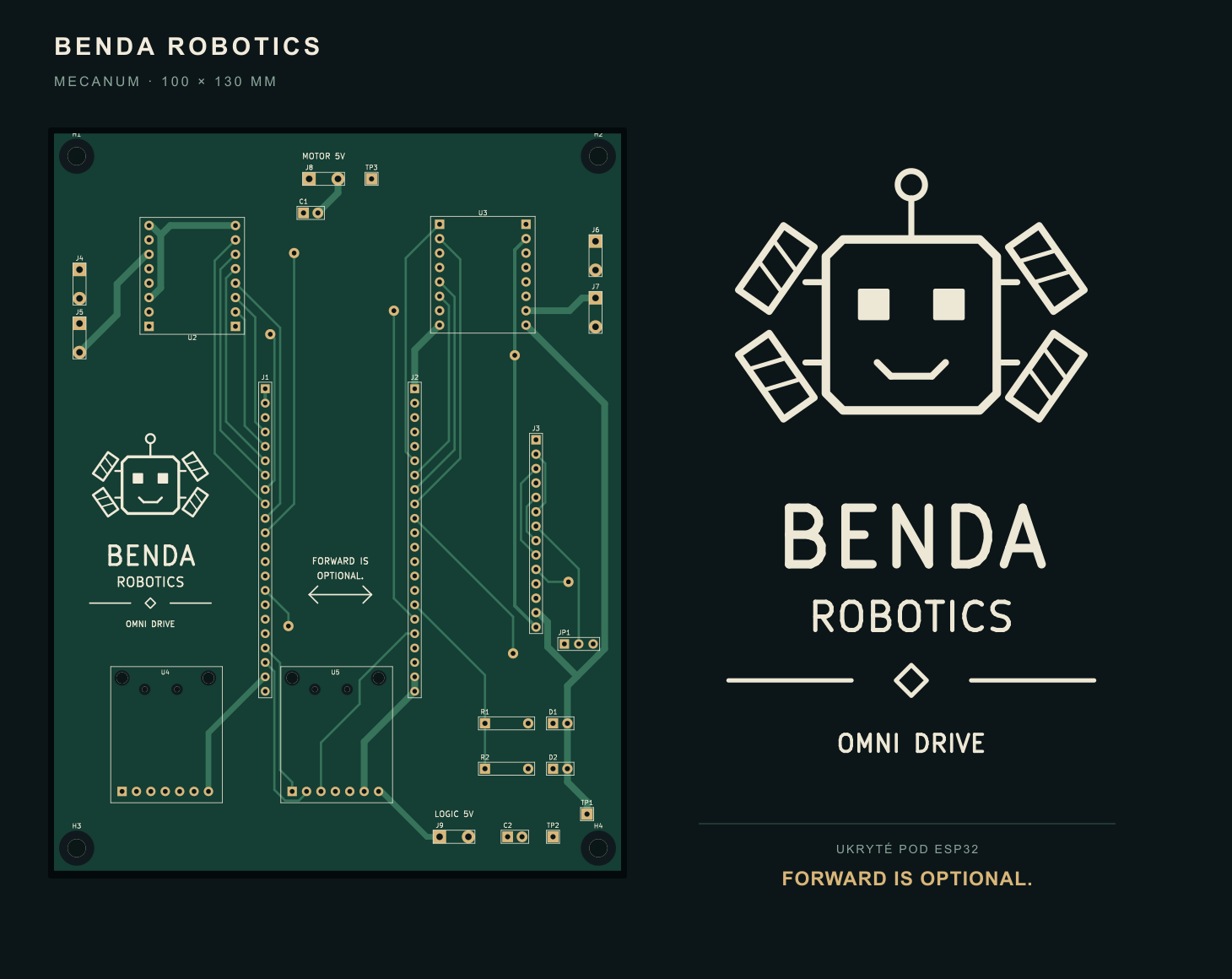
A custom design for the next version

The 100 × 130 mm board has transfer artwork prepared for both sides. The design also includes the Benda Robotics branding. Etching, assembly and testing on the robot come next.

Preview of the new circuit board design and Benda Robotics branding.
View both sides of the transfer artwork (PDF)

ESP32-S3 · TB6612FNG · FastAPI · Piper TTS · I²S

Preparing the demo…

More systems and experiments

Crypto Ticker Display

Market and system data on a standalone device.

Working experimental prototype

Displays cryptocurrency and system data away from the computer. It connects custom software, displays, network data and embedded hardware.

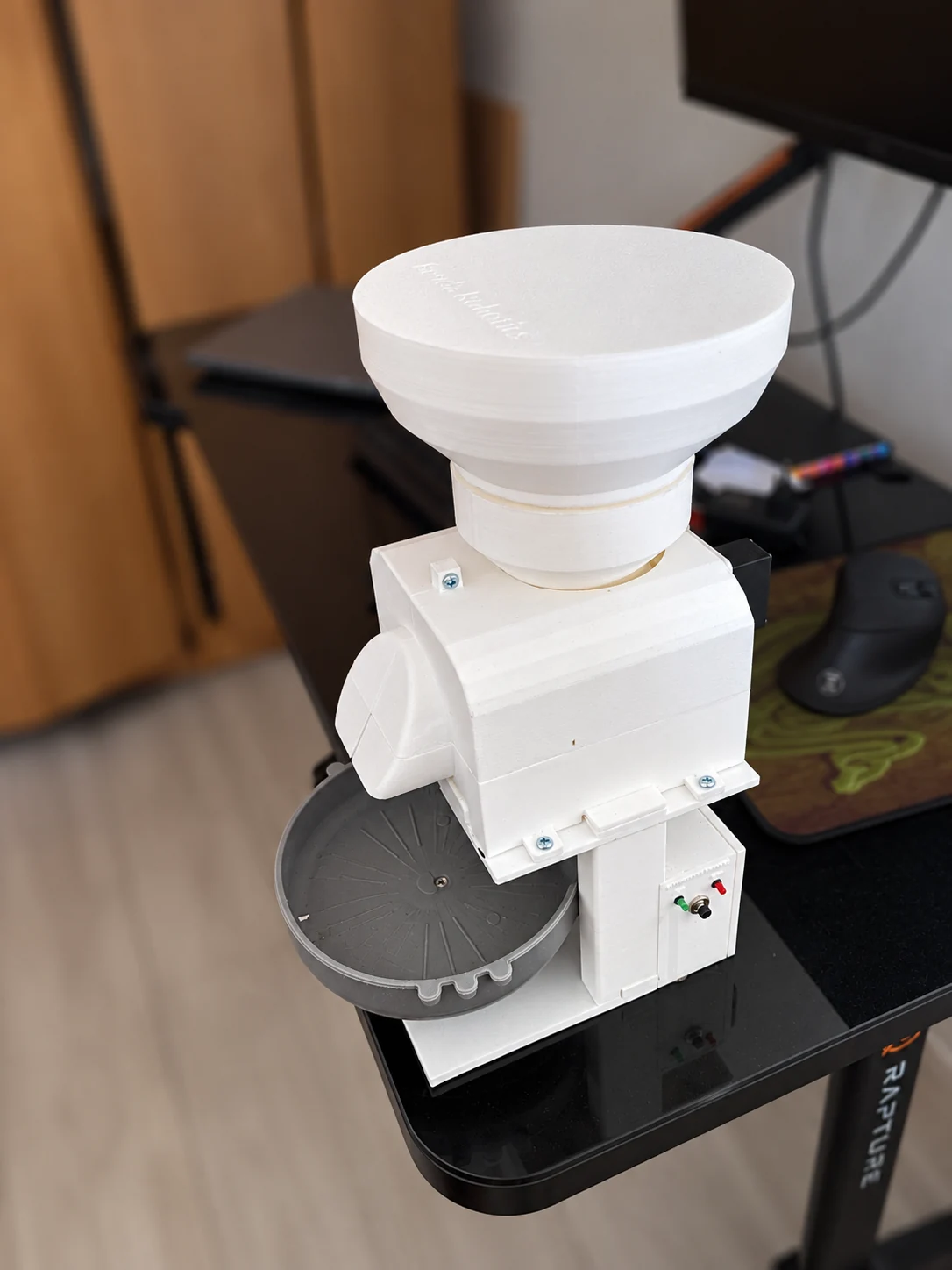
Smart feeder

Tops up the bowl based on its actual weight.

Working prototype
The assembled feeder prototype with printed parts.

Weighs the contents of the bowl and dispenses food to a target weight. Readings appear on a display; dispensing can be controlled with buttons, over the network or through Telegram.

I designed and 3D-printed the mechanical parts. The working prototype took 17 days to build.

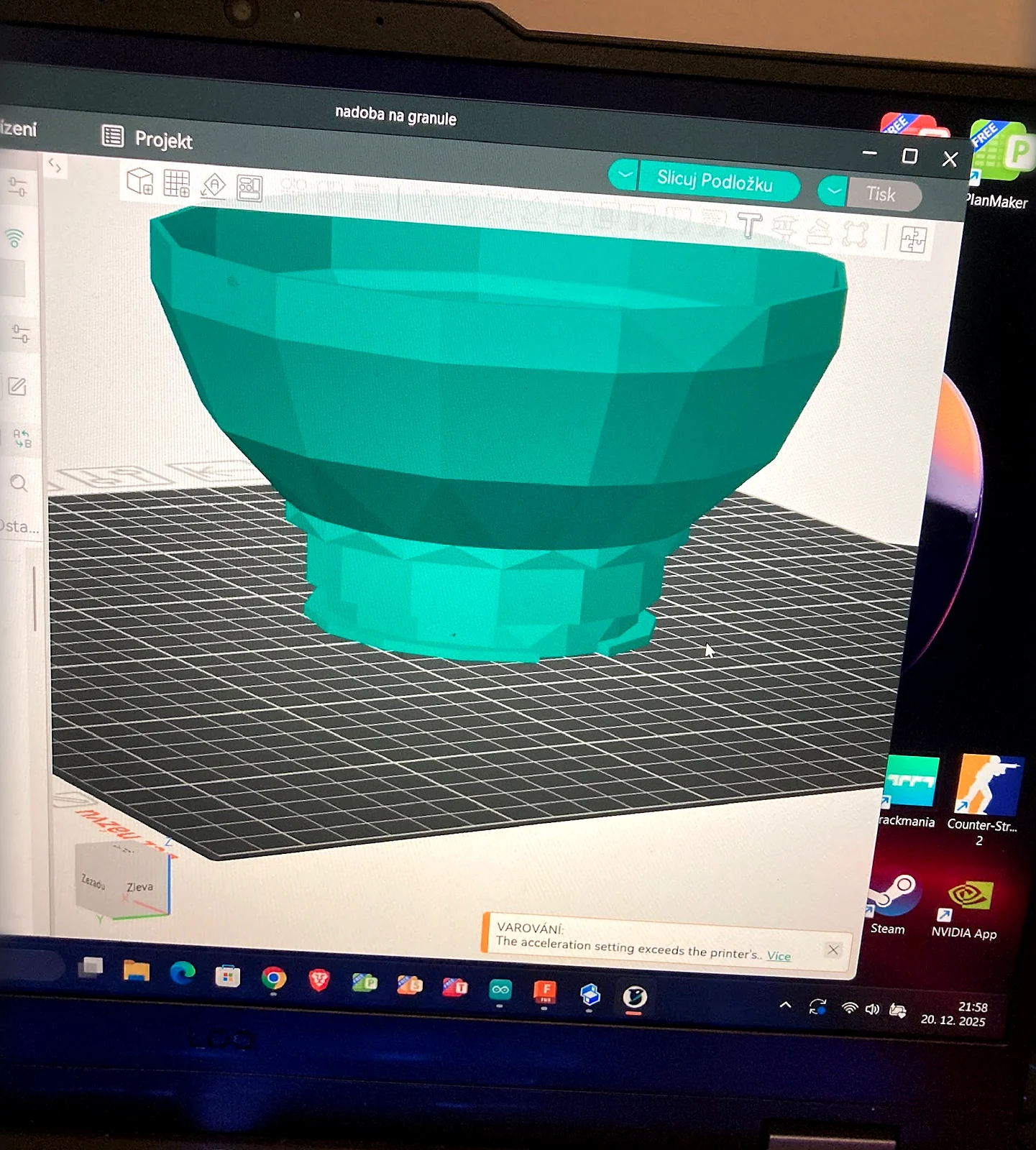
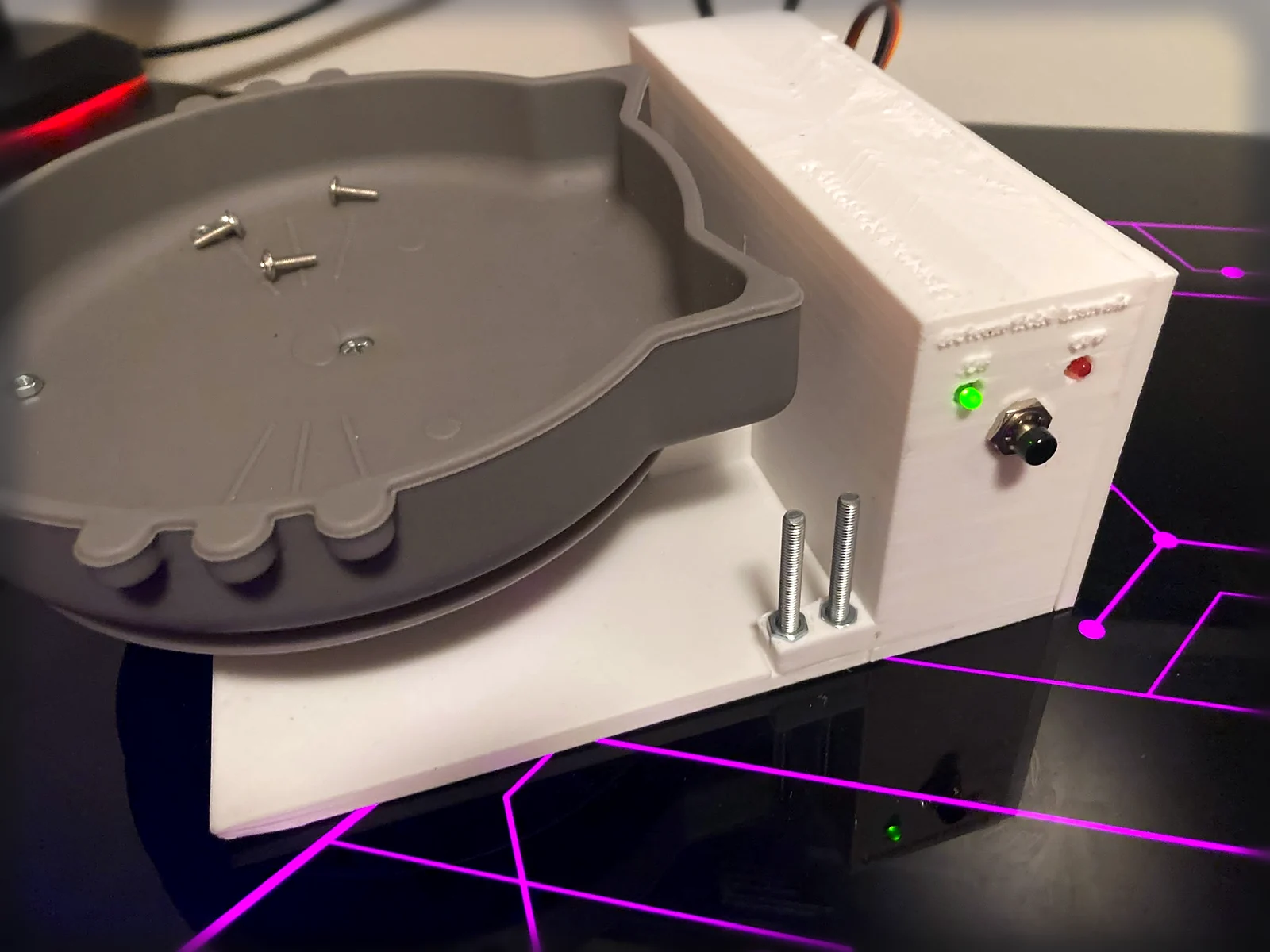
From 3D design to weighing
Preparing the container for 3D printing.
The bowl and controls during prototype assembly.

Smart blinds and home automation

Home controls used every day.

System in daily use

Servomotors control the blinds through voice or AI commands, a Raspberry Pi dashboard, the web and a local controller.

AI hologram interface

An AI assistant with a holographic face, voice and memory.

Experimental prototype · in development

The prototype connects a rotating holographic display to a Raspberry Pi, microphone and speaker. The AI assistant listens, speaks and accompanies the conversation with facial expressions timed to match it. This creates the impression of talking to a hologram present in the room.

Custom personality and memory

I designed and configured the assistant's personality, behaviour rules and tasks myself. I can give it new information and instructions during a conversation. It stores them in memory and uses them in later interactions, so each conversation does not have to start from scratch.

From conversation to home control

The assistant is also connected to the blinds. It can recognise the intent of an everyday sentence and identify the relevant device. If I say, “The right side of the room is too dark,” it recognises the need for more light and raises only the right blind. Natural conversation becomes a specific action in the room without an exact control command.

Blue holographic faces with different expressions for the AI interface
Face artwork for the AI interface.

Learn. Experiment. Build.

Free · No sign-up required

Robotics University

Free chapters, experiments and builder guides for students, teachers and anyone curious about robotics. Connect each principle with an experiment, check your understanding and turn knowledge into a working project.

Try your first robot for free
24chapters from foundations to advanced topics
7interactive laboratories
SK / ENlearn at your own pace in both languages

Let's start with a conversation

What would you like to build?

A problem, an idea or an initial brief is enough. We can discuss what makes sense to build and the first step to take.

Your project does not have a website yet?
Email me directly

We will use your details to respond to your enquiry.